
Create a client and location
Put each customer business in its own organization. Add one location for each venue you manage.
PLATFORM
Manage guest Wi-Fi as a service across multiple organizations. Your team can set up venues, apply branding and give each client access to their own work.
MSP AND CLIENT WORKSPACES
A client organization represents the business you support. Locations sit inside that organization and hold the network, portal and reporting for each venue.
YOUR PORTFOLIO
Your team manages client organizations, locations, approved controllers, branding and access from one workspace.
 DashboardSAMPLE WORKSPACE
LOCATION REPORTING
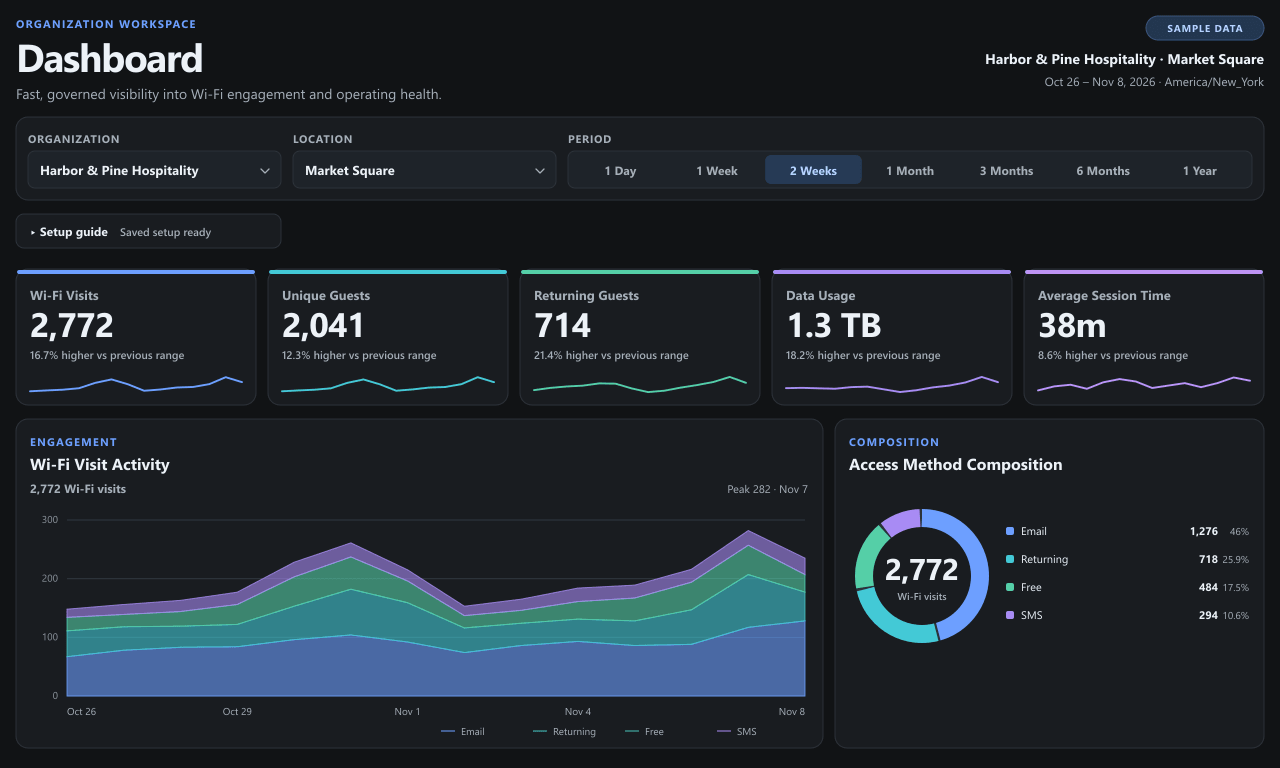
Show each client their locations and authorized reporting in one dashboard.
THE VENUE WORKFLOW
Put each customer business in its own organization. Add one location for each venue you manage.
Choose the controller type, add credentials and discover the site, SSID and access points. Review the setup before applying supported changes.
Apply your branding and venue terms. Assign the portal, then join the approved test SSID and confirm the guest journey.
Invite client users with a role that fits their job and confirm their dashboard shows the assigned location.
MANAGE THE RELATIONSHIP
Manage staff and client access separately. Invite people, assign a role and remove access when their work ends.
Use verified sender settings and branded templates for supported invitations, password resets and guest emails.
Connect approved tools using narrowly scoped access. The pilot tested read-only ChatGPT access scoped to an approved organization and location.
Your team supports your clients. The platform team supports the MSP.
FEATURES BY WORKFLOW
These capabilities cover the guest experience, client operations, and the software you connect. Features in MSP qualification are marked below.
The AI Campaign Builder and connected automation actions are in qualification for MSP workspaces.
The marketing email designer and delivery are in qualification for MSP workspaces.
APPS & INTEGRATIONS
Use the integrations your MSP needs for guest messages, reporting, and custom software. Each connection is scoped to the resources it is allowed to use.
Platform-supplied SMS for supported guest verification and messaging routes. MSPs can also configure a BulkVS sender they own.
Connect your own Twilio account for supported guest verification and consent-governed SMS. Twilio service charges apply separately.
Use the platform email allowance or configure your own SMTP relay and verified senders for the delivery paths your workspace supports.
Use scoped credentials for custom software and data access. Limit each credential to the organizations, locations, and permissions it needs.
Connect a supported AI client with secure sign-in and read-only access to approved analytics, device, and workspace data.
Mailchimp, Cymbal, and signed webhooks are in qualification for MSP workspaces.
START WITH ONE LOCATION
Pick a test site, confirm the controller and make a short rollout brief for your team.